Posts

Showing posts with the label Django

Django Commands

Here are some useful DJango commands for beginners. Using pip: To install packages >>> pip install django To uninstall packages >>> pip uninstall django Creating Virtual Environment On Unix or Mac OS >>> python3 -m venv name-env On Windows >>> python -m venv name-env Activating Virtual Environment On Windows >>> source name-env\Scripts\activate On Unix or Mac OS >>> source name-env/bin/activate Starting Django Project >>> django-admin startproject <name> Creating an app >>> python manage.py startapp <name> Different ModelFields CharField(max_length=None) DateTimeField(auto_now=False,auto_now_add=False) EmailField(max_length=None) FileField(upload_to=None,max_length=100) ImageField(upload_to=None,max_length=100) IntegerField() SlugField(max_length=50) TextField(max_length=1000) URLField(m...

Django Interview Questions and Answers for experienced

Below are the top Django interview questions and answers that will surely boost your confidence in interview preparation. Q.1 What is Django? Elaborate some technical features. Ans. Django is a high-level web application framework based on Python. This framework is one of the best in the industry for rapid development, pragmatic design without compromising on features. Some of the technical features of Django include: Admin Interface Code Reusability CDN Integration Security Features ORM A huge number of third-party applications There are many features which Django community has been developing over the years and therefore it’s called “Batteries-Included” framework, as it has lots of features built-in which otherwise would be time-consuming and expensive to make. Q.2 What is Django Admin Interface? Ans. Django Admin is the preloaded interface made to fulfill the need of web developers as they won’t need to make another admin panel which is tim...

How to Create, Install & Deploy Your First Django App

Image
In this tutorial, we will be creating, installing and deploying our first Django app. We will also learn to add the app in urls.py file and create the views.py file for the Django project. This tutorial will also let you grasp the concept of web application more easily. Firstly, let’s discuss the process of creating a Django app. 1. How to Create a Django App The main reason we are using web applications in the first place is to implement Django’s code reusability feature. This enables us to not only migrate the pre-built apps in our project but also customize web applications made by us. All the commands are given in our root directory or in the directory where we have the manage.py file. Open the terminal and type the below command to create a new project:              django-admin startproject project-name Now, type below command to create a new application under the project directory             dj...

Django – How to Connect MySQL Database with Django Project

Image
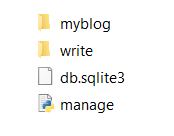
In this tutorial, we will discuss the process to connect MySQL database with Django project. Whenever we are creating a web project or any kind of project, we want some kind of input by our end-users or consumers. All that data/ input is handled by a Database. In today’s scenario, whenever we are developing a website, we will need a database, whether it’s a blog site or highly interactive ones like Instagram which is based on Django. To achieve that you would need some software, which can store that data efficiently and also some middleware which can let you communicate with the database. Connecting Databases with Django Project By default, when we made our first app and started the server you must have seen a new file in your project directory, named as ‘db.sqlite3’. The file is database file where all the data that you will be generating will be stored. It is a local file as Django is a server-side framework and it treats your computer as the host when you actually run...